Bulk-creating AuctionWorx listings from Excel
How the plug-in compares with the built-in CSV import, and what it needs to run.
15+ years on AuctionWorx · RainWorx Premium Partner
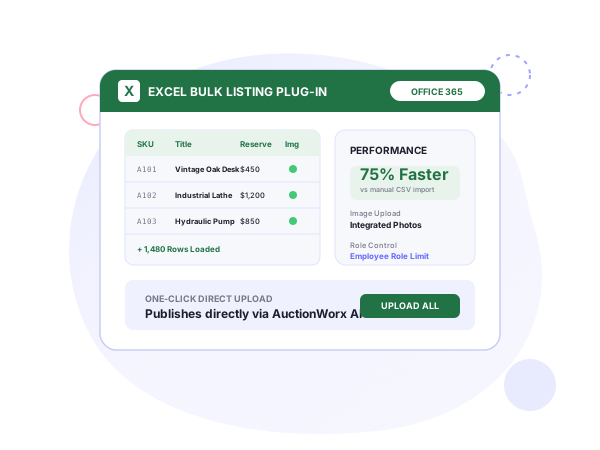
The Excel plug-in handles AuctionWorx bulk listing upload from Excel, so a back-office team can create and manage listings without leaving the spreadsheet. The product page is Listings Creation Excel Plug-In for AuctionWorx; it starts from $499 (one-time, see systenics.com).
Versus the CSV import
AuctionWorx already has an Import CSV feature. The plug-in moves the work into Excel, where many teams keep their inventory data. One sheet can produce hundreds of listings, and listing files can be uploaded directly from Excel. Systenics says its clients report 75% time savings against Import CSV. That is a client-reported figure. The plug-in also cuts down errors and makes image upload easier.
Workflow
Systenics’ demo shows the sequence: prepare the listings in bulk, validate them, publish the lots to AuctionWorx. The plug-in covers managing existing listings as well as creating new ones, all from one workbook.
You can combine it with the Employee role in AuctionWorx so that only employees get limited access to generate listings.
Requirements
It runs on Windows and Mac, and needs Office 2019 or an Office 365 version of Excel. Both AuctionWorx Enterprise and Events Edition are supported. If your site needs to move to a newer release first, see the upgrade and migration service.
What the workflow covers
Systenics’ demo video shows how to prepare, validate and publish lots to AuctionWorx in bulk without manual data entry on the web site. Its customization guide describes the same sequence as operators preparing, validating and publishing hundreds of lots from spreadsheet workflows with one click. Three capabilities stand out:
- Creating hundreds of listings from one Excel sheet.
- Uploading listing files directly from Excel.
- Importing listing images with the listings.
Because the plug-in also manages existing listings, a back-office team can keep a single workbook as the working copy for a sale.
Who it’s for
The plug-in is built for AuctionWorx clients whose listing counts have grown past what manual entry handles, and it is aimed at the back-end team. Systenics’ industry pages show two settings:
- Property auctions: the back-end team collects data from various sources in a simple-to-manage Excel sheet and uploads thousands of items with their images. See real estate auctions.
- Estate sales: bulk inventory uploads of 100+ items at once are part of the estate sales solution, described there with AI-powered categorization. See estate sales.
Fit at a glance
| Item | Details |
|---|---|
| Editions | AuctionWorx Enterprise and Events Edition |
| Runs on | Windows and Mac, with Office 2019 or Office 365 Excel |
| Scale | Unlimited bulk listings; hundreds from one sheet |
| Images | Image import included |
| Speed claim | 75% time savings against Import CSV, client-reported |
| Access control | Combine with the Employee role |
How it pairs with other products
The property auctions page places the plug-in next to the mobile app: sellers create correct listings from the phone, and the back-end team handles volume in Excel. See the mobile app guide. Systenics’ customization guide lists barcode scanning and this plug-in together under inventory pipelines: automated ingestion by barcode in one, bulk ingestion from spreadsheets in the other. See barcode listing creation.
Pricing and terms
The price is $499, one time, for AuctionWorx Enterprise or Events Edition. It covers unlimited bulk listings, image import, and Windows and Mac. Add-on prices include deployment on your AuctionWorx installation, with no subscriptions and no per-listing fees. AuctionWorx licenses are sold separately by RainWorx.
Related use cases: estate sales and real estate auctions.
Frequently asked questions
Ready to build on AuctionWorx?
Book a call or send us your project details, and we'll get back to you with next steps.
